Setting up the Temperature & Humidity Sensors
Two cellular sensors for anywhere temperature matters and nobody is standing: a temperature and humidity sensor on a 9.8 ft cable, and a pair of temperature probes on 5 ft cables for a cooler, freezer, or two spots in a barn. Readings every hour, custom alerts, and a four-step setup.
Guide revised October 2026. Questions or a step that does not match your unit? Call (385) 534-8200.
- Temperature & humidity sensor
- Temperature -40 to 176°F, resolution 0.01°F; humidity 0 to 99.9% RH, accuracy within 2% RH; 9.8 ft cable
- Temperature probes
- Two probes, -67 to 257°F, accuracy within 0.5°C, resolution 0.01°C; 5 ft cables
- Reporting
- Every hour, from each sensor or probe
- Alerts
- Custom high and low alerts to your phone
- Battery
- About 2+ years
- Pricing
- On request; call or use the form below
Temperature & humidity sensor
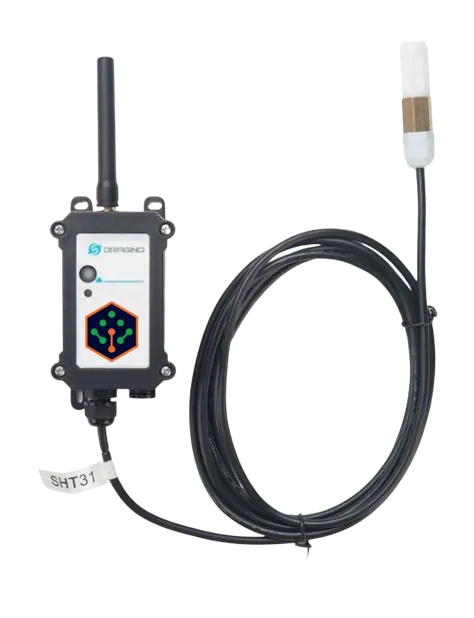
Temperature from -40 to 176°F and humidity from 0 to 99.9% RH, read every hour, with alerts when either leaves the range you set.
Temperature probes
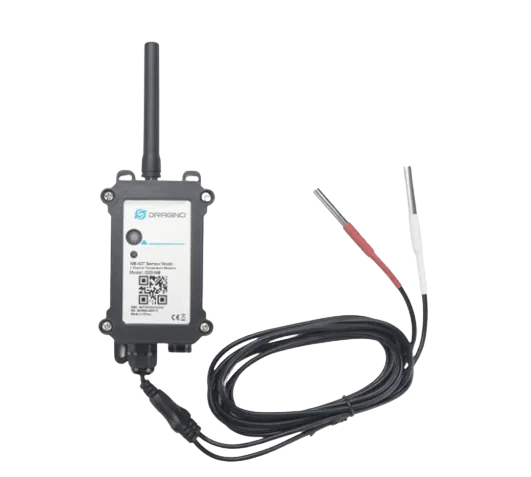
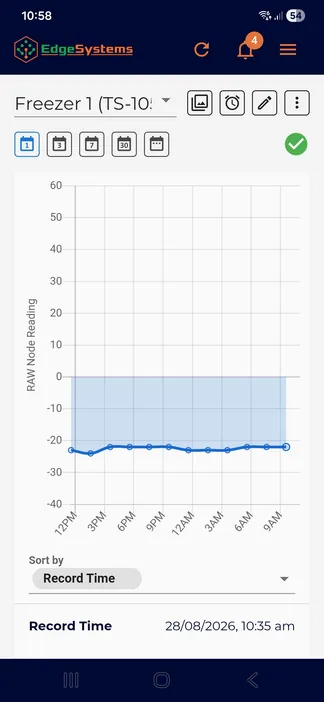
Two probes on one unit, -67 to 257°F, each reporting every hour. A freezer and a cooler, or two ends of a barn, from one device.
Setup steps
- Wake the device. It ships in sleep mode. Open the cover, press and hold the button on the black box for 5 seconds, and wait until the light goes green. Then screw all four cover screws back in securely.
- Attach the antenna to the device, hand tight.
- Mount the communications box where you want it, antenna upright, with a view of the sky if it is outdoors. Inside a cooler or freezer, the box stays outside and only the probe goes in.
- Mount the sensor or probe where you want to measure, and zip-tie the cable along its run so it cannot snag.
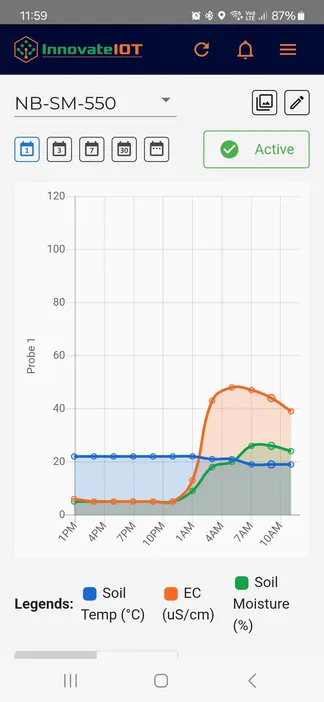
Then open the device in the app, tap the pencil icon, then the alarm bell tab, and set the high and low temperatures that should wake you up.
Stuck on a step, or not sure which sensor fits your site? Call or text and a person who has installed these will answer.
Related Meterra pages
- Power Monitor: pair a freezer probe with a power alert on the same outlet
- Weather Station: outdoor temperature and humidity with wind and rain
- Farm monitoring: sheds, coolers, and water on one dashboard
Warranty, returns and shipping for every Meterra device are on the Shipping & Returns page.